

Bug Jar Counting Activity for Google Slides
This bug jar counting activity can be added to Google Slides for a fun way to practice learning to count to 20 in preschool or kindergarten.

Bug Jar Counting
We are loving this digital version of our popular bug jar counting cards! This version can be used when students don’t have access to printables and manipulatives like mini erasers. Instead, we use virtual bug mini erasers!
While using this activity, students will get lots of practice with number identification, counting to 20, and one-to-one correspondence. It’s super simple to use and lots of fun too.
Setting Up the Bug Counting Activity in Google Slides
Students may use Google Slides™ to do this activity.
The download file includes a detailed guide with instructions and pictures on how to use this activity with you students, but it is quite simple to do.
If you are a instructor or teacher, you will want to copy the Google slides assignment to your Google Drive and save it as a master copy.
Make sure that you click the dropdown next to the attachment. Pick the “Make a copy for each student” option.
Learning to Count
There are slides for numbers 1-20, so you can assign different groups of students different slides, if you want. Some could be working on only 1-10, while others are working on 11-20. It is very easy to delete slides you don’t want to use.
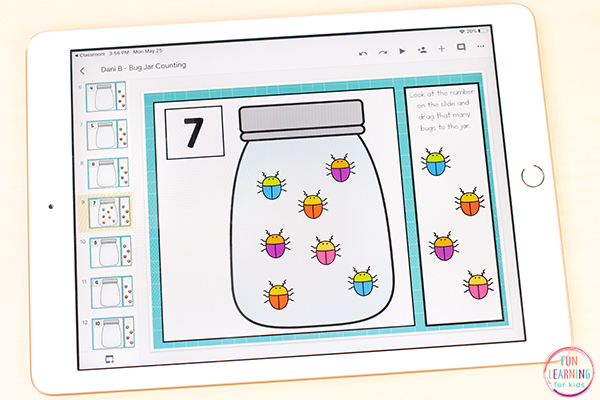
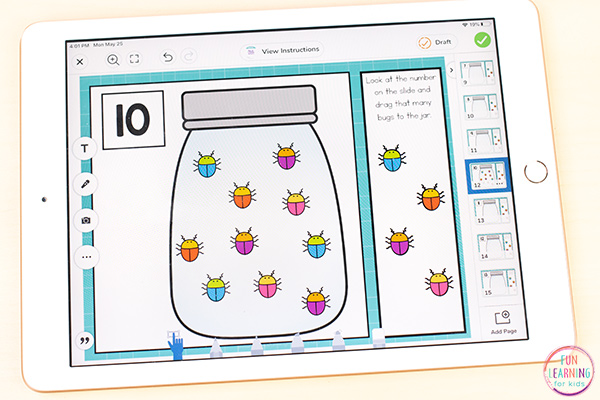
This activity is very self-explanatory and easy for your students to use. All they must do is grab the bugs and drag them over to the jar.
To begin, students will go to the first slide and look at the number in the top left corner.
Once they have identified what number it is, they will drag that many bugs over to the jar.
This continues until they have gone through all of the slides you have assigned.
I hope your students have lots of fun while they practice counting!
If you have students who have moved beyond counting and on to simple addition, you should check out these bug jar addition mats.
Get the FREE bug jar counting activity for Google Slides below.
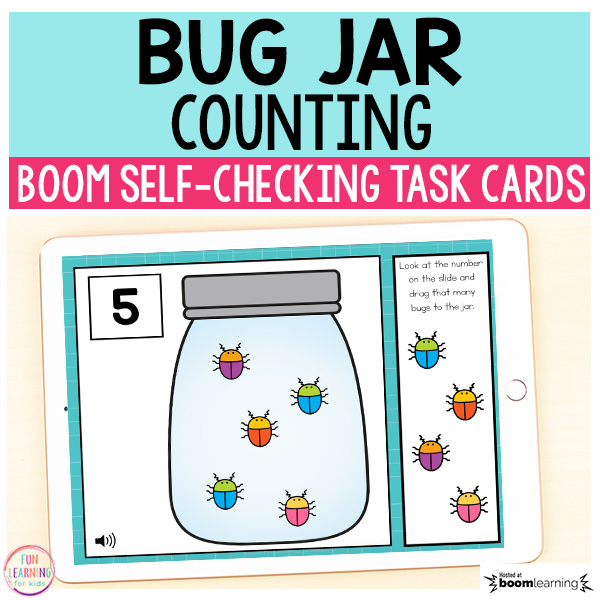
Do you love Boom Cards? Click this link to get the free Bug Jar Counting Boom Card deck! It’s self-checking and has audio of every word!
Check out these other Google Classroom activities!
Telling Time “Clip” Cards for Google
Counting Coins Money Activity for Google Slides
Non-Standard Measurement Activity for Google Slides
Editable Snap Cube Math Mats for Google Classroom
Interactive CVC Word Building Activity for Google Classroom
Spring Editable Sight Word Building Mats for Google Classroom